
Loading...
Please wait while we prepare your experience
Please wait while we prepare your experience
Learn how to configure and use V2Box VPN with our easy-to-follow instructions. This guide is compatible with both Android and iOS devices.
Download VPN Applications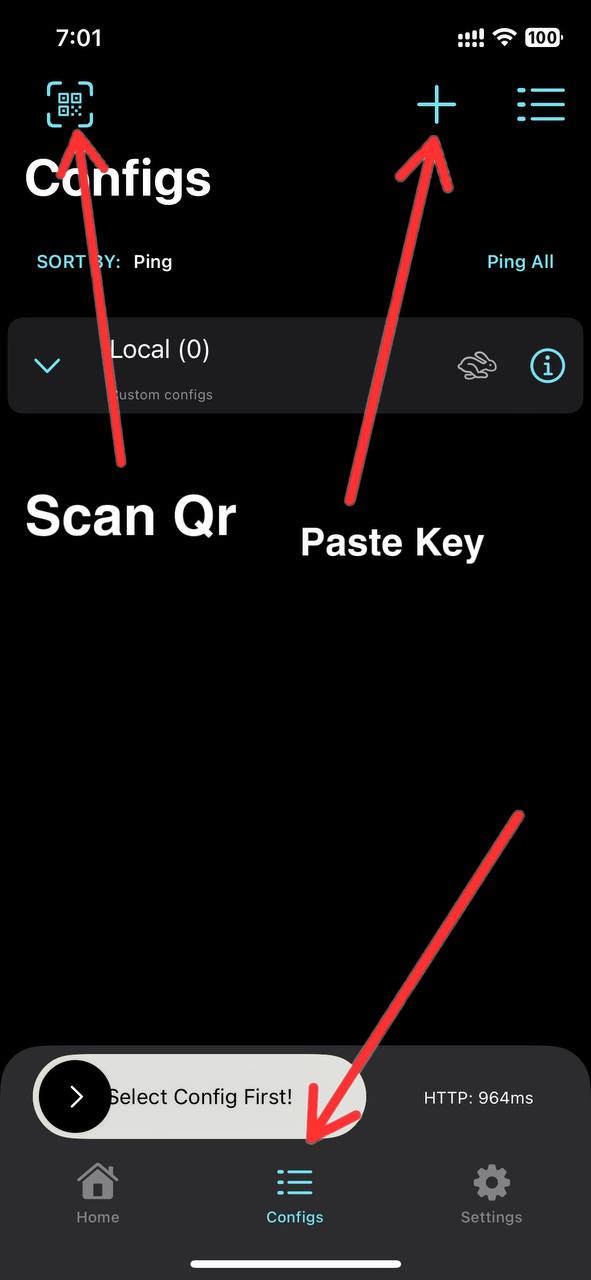
Copy the server key and click the '+' icon. Note: We recommend Hiddify App for an ad-free experience.
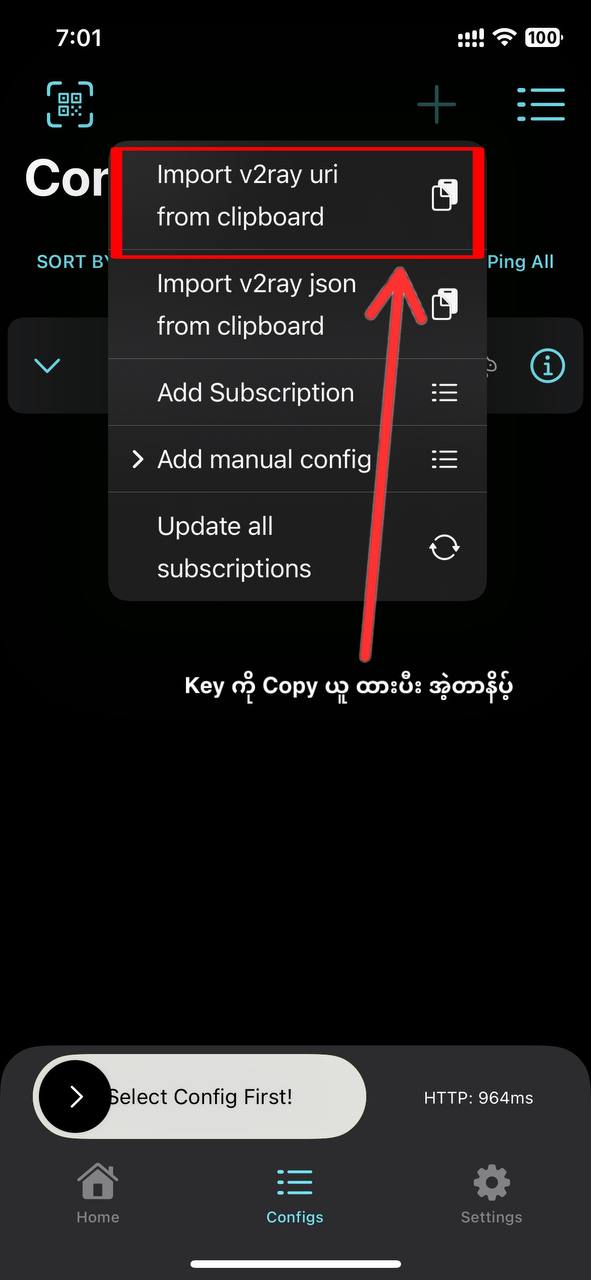
Select 'Import V2Ray URL from Clipboard' to load your configuration.
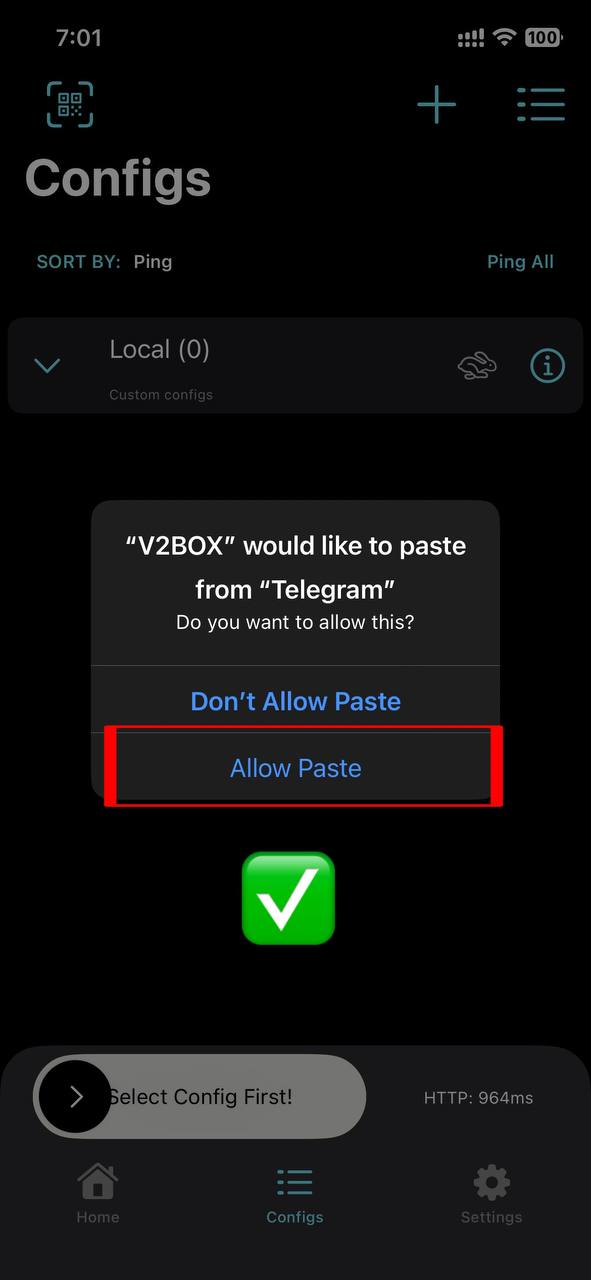
Tap 'Allow Paste' when prompted by the operating system.
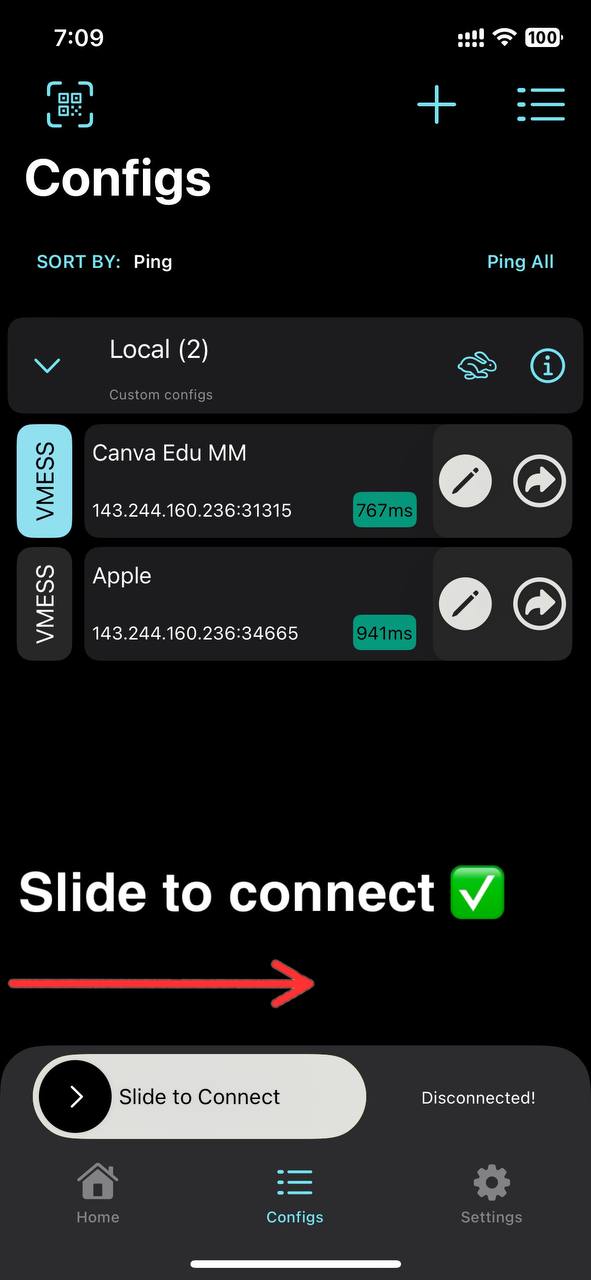
Slide the connection bar to 'Connect' and start browsing securely.
If you encounter any issues during the setup process, please contact our customer support team. We are available to help you resolve any connection problems.
Contact Support